How to Find Your eSIM's Unique ICCID
Your eSIM's unique ICCID can be found in your device settings. Follow the steps below for your device.
Apple
-
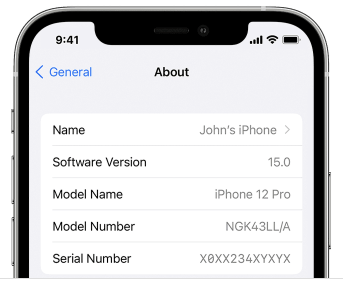
Go to Settings > General > About.
-
Scroll down to the ICCID section. Your primary SIM ICCID will be displayed first, followed by your eSIM ICCID, listed under the corresponding eSIM profile.
Android
-
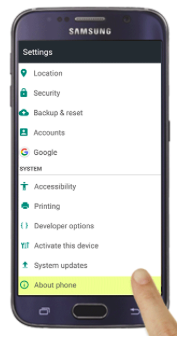
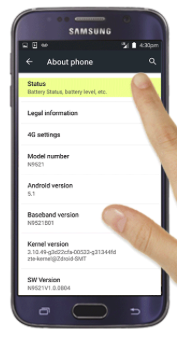
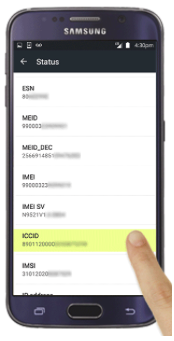
Go to Settings > About Phone > SIM Status.
-
Scroll down to locate the ICCID.